Identify Any Rock, Crystal or Mineral in Seconds — Just Snap a Photo
Mineral Identifier AI turns your iPhone into a pocket geologist. Point your camera at any stone to get its name, properties, meaning — and an instant estimate of what it's worth.
Your Pocket Rock, Crystal & Gemstone Identifier
From the first scan to a full catalog of your finds — here's what Mineral Identifier AI looks like in action.
From Mystery Stone to Full ID in 3 Taps
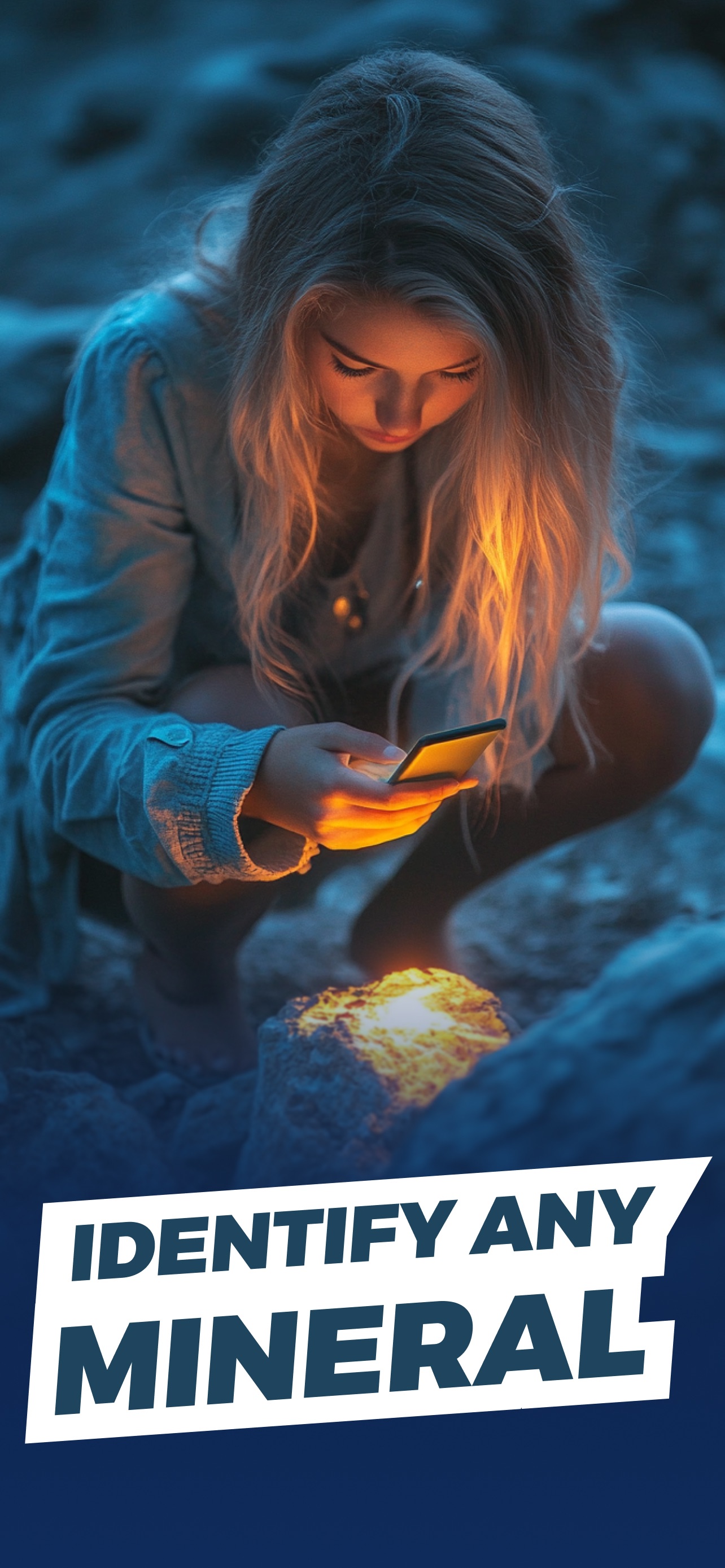
No field guide, no guesswork. Identify rocks and minerals by photo — anywhere, even on the trail.
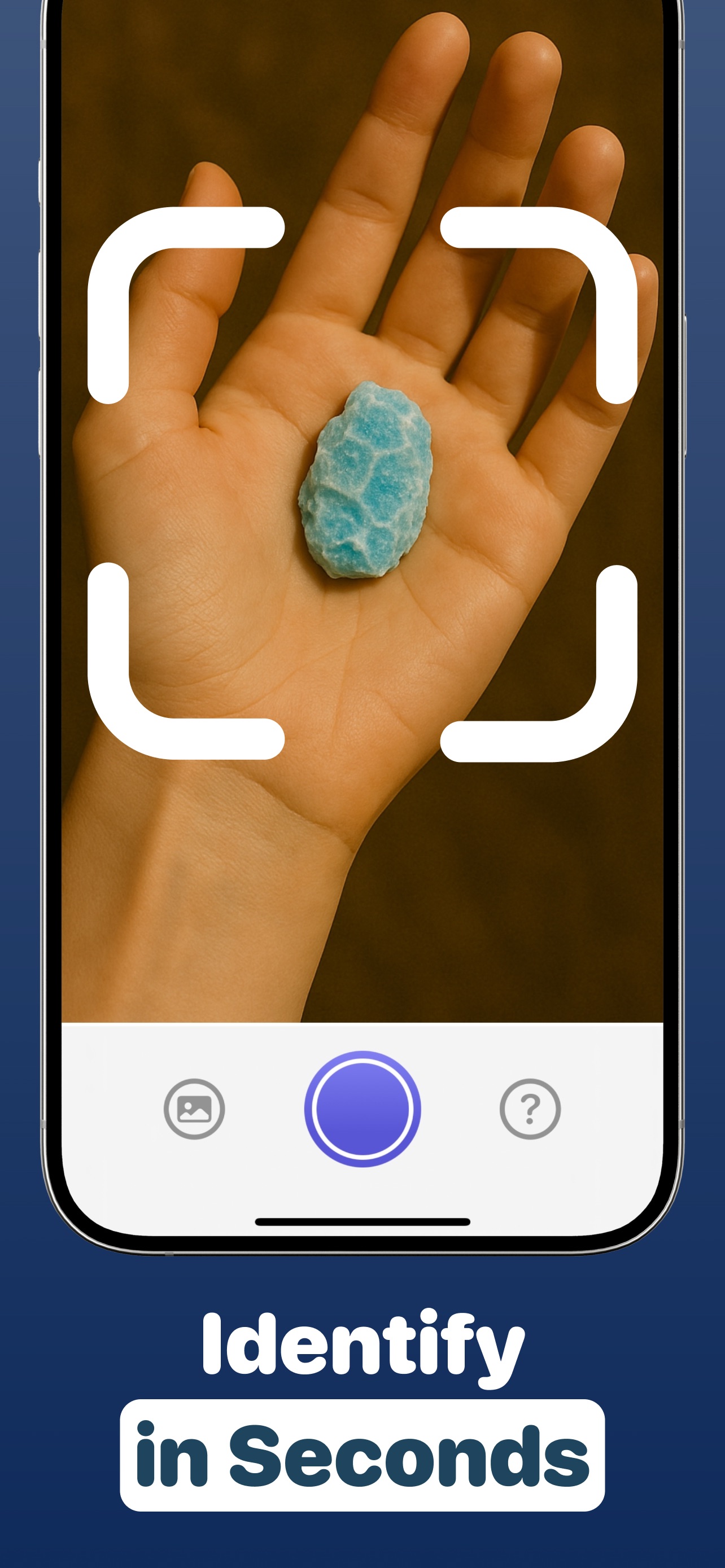
Snap a photo
Point your camera at any rock, crystal or gemstone — or upload a photo from your library. Use the zoom to capture fine crystal details.
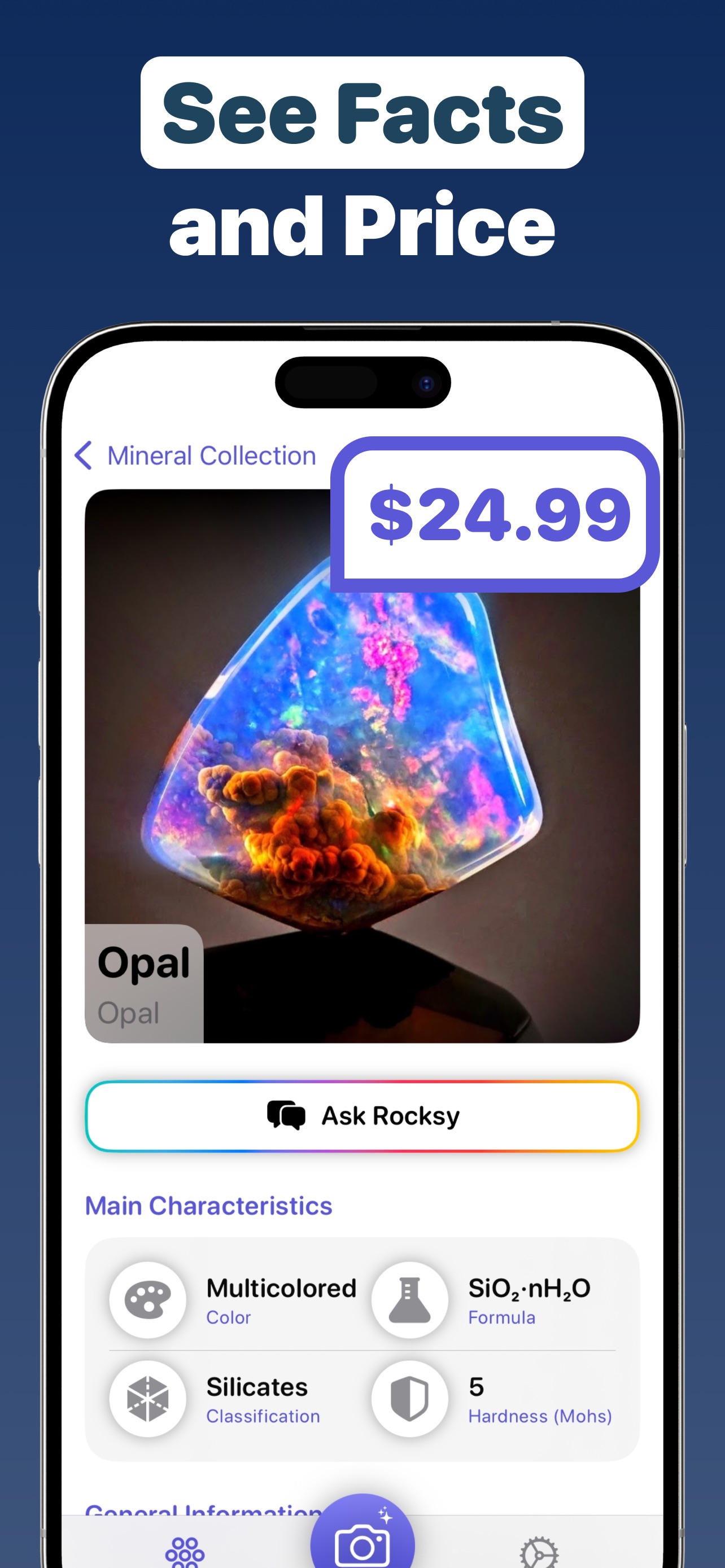
Get an instant ID
The AI names your mineral and reveals its chemical formula, classification, Mohs hardness, crystal system and more.
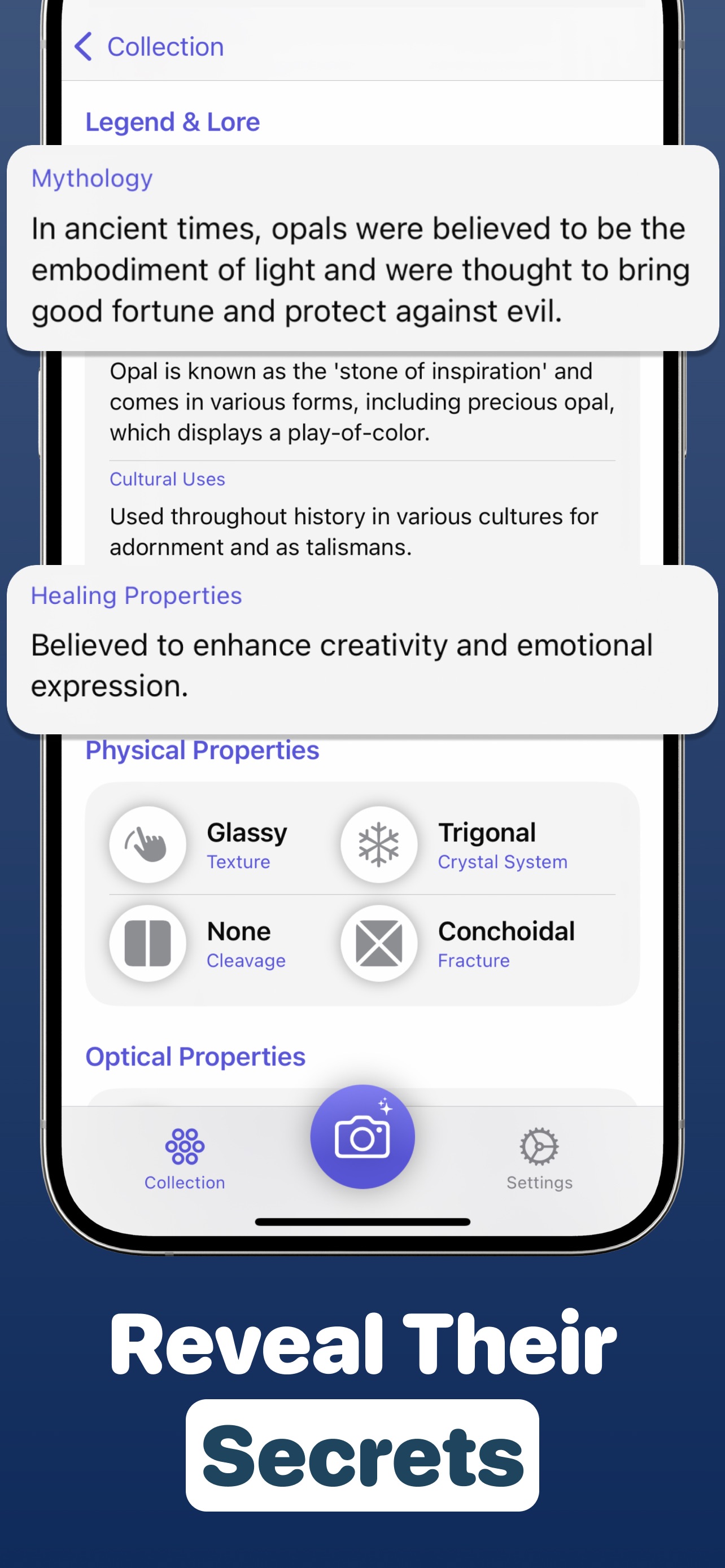
See value & meaning
Check an estimated market value, plus mythology, healing properties and the hidden story behind every stone.
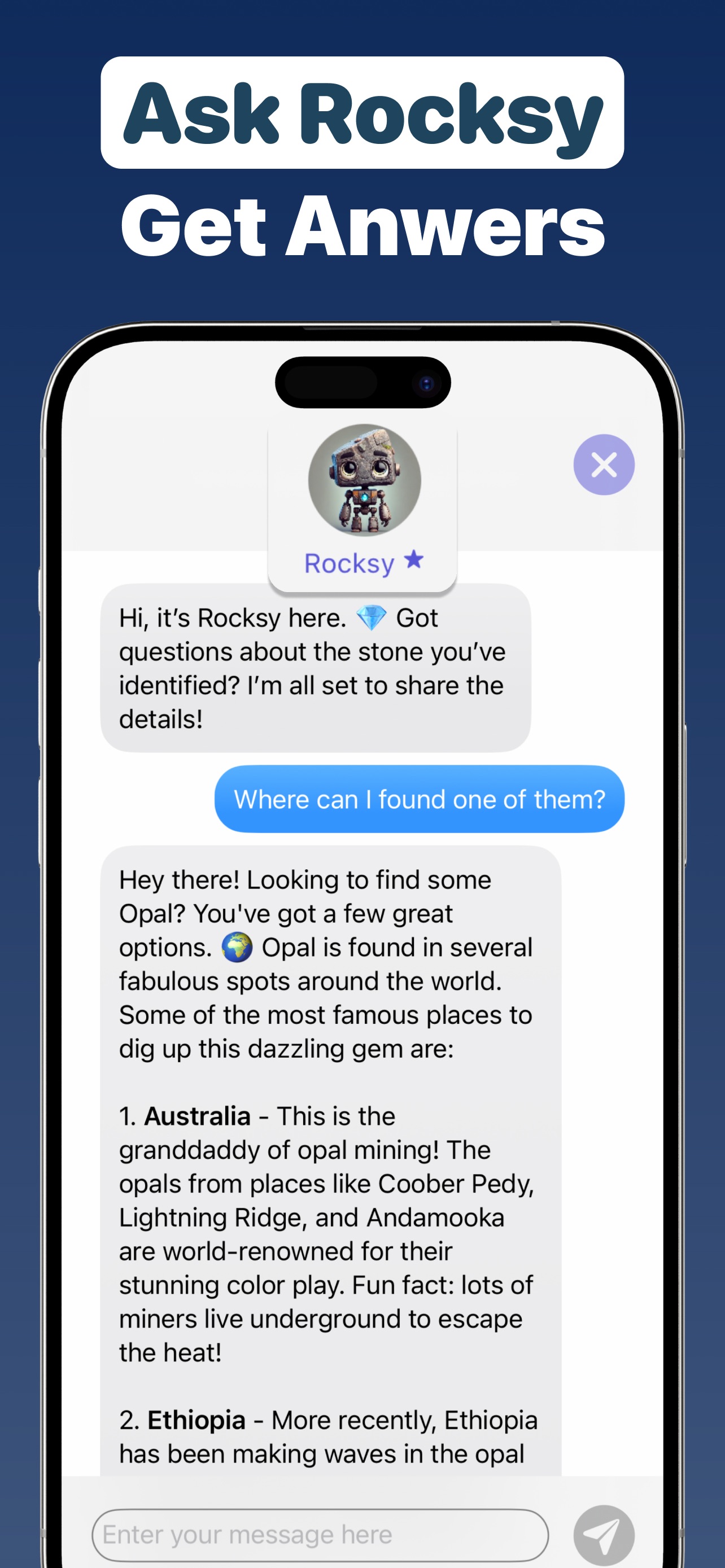
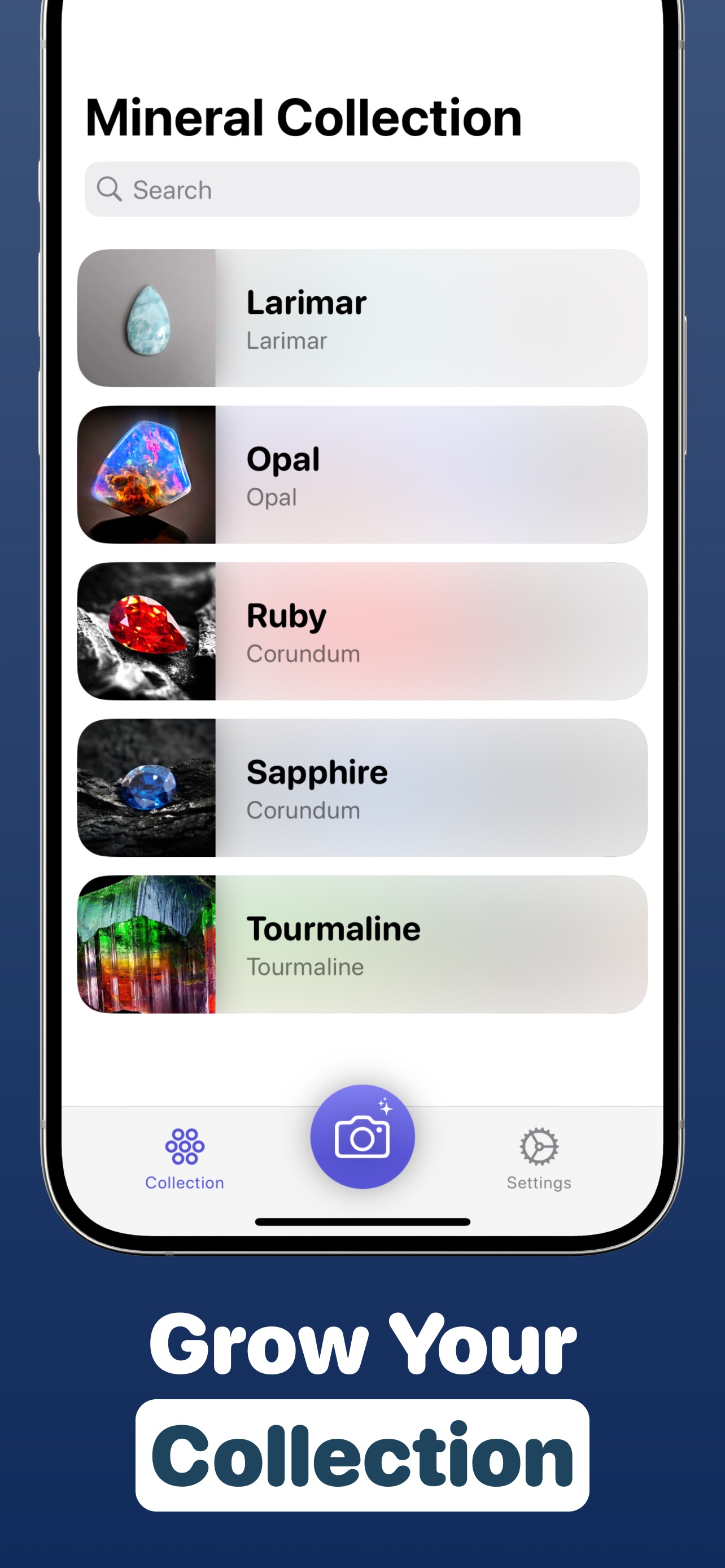
Save & ask Rocksy
Add finds to your personal collection and chat with Rocksy, your AI assistant, to dig deeper into any mineral.
Everything a Rockhound Needs in One App
Built for curious beginners, crystal lovers and seasoned collectors alike.
AI Photo Identification
Identify rocks, minerals, crystals and gemstones from a single photo with cutting-edge AI recognition.
Instant Value Estimates
Know roughly what your find is worth with built-in market price estimation — perfect before you buy or sell.
Deep Mineral Profiles
Chemical formula, Mohs hardness, crystal system, cleavage, fracture, luster and optical properties for every stone.
Meanings & Lore
Explore healing properties, metaphysical associations, mythology and how each crystal has been used through history.
Rocksy, Your AI Expert
Ask follow-up questions — "Where can I find opal?" — and get friendly, knowledgeable answers in seconds.
Collection Tracker
Save every scan into a searchable personal catalog and watch your mineral collection grow.
Rock & Crystal Identification Guides
Practical, beginner-friendly answers to the questions every collector asks — and how to solve them in seconds with the app.
How to Identify Rocks by Picture
Turn any photo into a full rock ID — name, type and properties — using your phone.
Read the guide →How to Identify Crystals
Recognize quartz, amethyst, calcite and more by color, shape and structure — instantly.
Read the guide →How Much Is My Rock Worth?
Get an instant value estimate for any rock, crystal or mineral before you buy or sell.
Read the guide →How to Identify Raw Gemstones
Spot rubies, sapphires and opals in the rough — before anyone else does.
Read the guide →How to Tell if a Rock Is Valuable
The 5 signs a stone is worth money — and how to check its value in seconds.
Read the guide →Crystal Meanings & Healing Properties
Discover the meaning, mythology and metaphysical uses of any crystal you own.
Read the guide →How to Start a Rock Collection
A beginner's roadmap to finding, identifying, cataloging and displaying minerals.
Read the guide →How to Identify Minerals
Hardness, streak, luster, cleavage — the classic tests, plus the modern AI shortcut.
Read the guide →Frequently Asked Questions
Quick answers about identifying rocks, crystals and minerals with your phone.
How do I identify a rock from a picture?
Open Mineral Identifier AI, point your camera at the rock (or upload a photo), and the AI compares its color, texture, luster and crystal structure against thousands of known minerals. In seconds you get the name, chemical composition and key properties of your find. Learn more →
How much is my rock or crystal worth?
After identifying your specimen, the app shows an approximate market value based on the mineral type — so you can gauge what a find is roughly worth before buying or selling. Learn more →
How do I identify a crystal and its meaning?
Snap a photo and the app identifies your crystal, then shows its healing properties, metaphysical associations, mythology and cultural uses alongside scientific facts. Learn more →
How can I tell if a rock is valuable?
Valuable rocks stand out through color, transparency, crystal form, weight or rarity. The fastest check is a photo scan: the app names the mineral and gives an estimated value instantly. Learn more →
Can the app identify raw and uncut gemstones?
Yes — the AI recognizes rough, uncut and unpolished stones as well as tumbled and faceted ones. Use the camera zoom to capture crystal faces and fractures for the best result. Learn more →
Is Mineral Identifier AI free to download?
Yes, it's free to download on the App Store for iPhone and iPad (iOS 17+). Start identifying minerals right away, with optional in-app upgrades for power users. Get the app →
How accurate is AI mineral identification?
AI photo ID is highly reliable for common rocks and crystals when photos are sharp and well-lit. For rare or high-value specimens, use the result as a strong starting point and confirm with simple physical tests. Learn more →
Can I keep track of my rock collection in the app?
Yes. Every scan can be saved to your personal Mineral Collection — a searchable catalog of your finds with photos, properties and estimated values. Learn more →

That Rock in Your Pocket Has a Story. And a Price.
Join collectors, rockhounds and crystal lovers using Mineral Identifier AI to name their finds, learn their secrets and discover what they're worth — free on iPhone and iPad.